Using AI Gemma 3 Locally with a Single CPU
Several months ago, I got a Nucbox K8 Plus minicomputer to use as a Proxmox 9 server. At the time of this acquisition, I didn't realize this minicomputer had an artificial intelligence (AI) engine [1] build in the CPU that could be used to run AI applications locally. A coworker recommended that I try Google Gemma 3 as a local AI open model to work with my use cases.
"Gemma is a family of generative artificial intelligence (AI) models and you can use them in a wide variety of generation tasks, including question answering, summarization, and reasoning." [2], a review of the Gemma 3 key features is also posted on this page. This page [3] lists the minimum requirements for the 5 Gemma 3 models 270M, 1B, 4B, 12B, and 27B.
Default Open WebUI
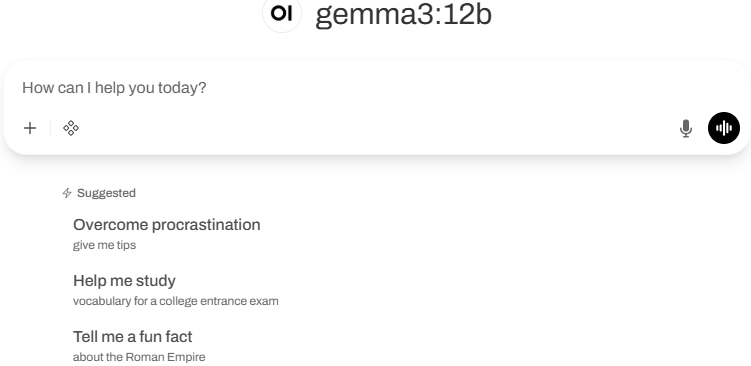
My Setup with Open WebUI
Installing Ollama with Gemma 3
I used these steps to get Gemma setup. First review the requirements for RAM [3] before deciding with Gemma 3 model to install. You can start small (i.e. 4B or smaller) for testing before using a larger model. I'm using 4B and 12B with 16 GB of RAM with my installation.

If you want to test some queries before installing the WebUI, this last command will open the interpreter:
ollama run gemma3:4b
Since I have a Ryzen 7 CPU, my next step was to install the admgpu [7] software to use the AI features of the CPU. The last step is to install the graphical interface to work from a browser using the Open WebUI [5] and there are several models listed here to get the WebUI running. I had to try a few combinations; in the end this is what I used:
sudo docker run -d -p 80:8080 -v ollama:/root/.ollama --add-host=host.docker.internal:host-gateway -v open-webui:/app/backend/data --name open-webui --restart always ghcr.io/open-webui/open-webui:main
Bugs in Proxmox 9 for LXC and AppArmor
For the Linux Container to run correctly, I had to edit the edit the LXC config file (114 is the container number) and add those two lines:
vi /etc/pve/lxc/114.conf
- lxc.apparmor.profile: unconfined
- lxc.mount.entry: /dev/null sys/module/apparmor/parameters/enabled none bind 0 0
And it may also be necessary to add this as well in the sudo command before installing the docker: --security-opt apparmor:unconfined
Login WebUI Interface
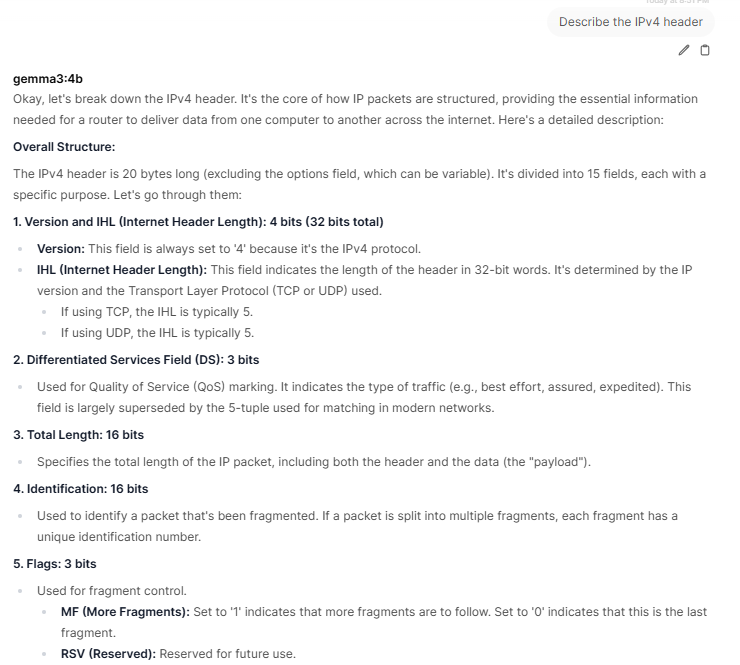
After the installation of the WebUI, you need to create the first admin account before being able to login.My first query asked my AI to describe the IPv4 header:
Gemma 3 offers the ability to work with large files with its 128K context, work with images and has multilingual support which is practical if you know multiple languages. Finally, it can run locally in PC, laptop and smartphone on a single GPU or TPU and smaller devices. If you have experience using Gemma 3, what are the use cases you are using it? You can add your comments in our contact form.
[1] https://www.amd.com/en/products/processors/laptop/ryzen/8000-series/amd-ryzen-7-8845hs.html
[2] https://ai.google.dev/gemma/docs/core
[3] https://ai.google.dev/gemma/docs/core#sizes
[4] https://deepmind.google/models/gemma/gemma-3/
[5] https://github.com/open-webui/open-webui
[6] https://ai.google.dev/gemma/docs/integrations/ollama?utm_source=deepmind.google&utm_medium=referral&utm_campaign=gdm&utm_content
[7] https://rocm.docs.amd.com/projects/radeon-ryzen/en/latest/docs/install/installryz/native_linux/install-ryzen.html
[8] https://forum.proxmox.com/threads/priviledge-container-disabling-apparmor-does-not-work.122168/
[9] https://blog.ktz.me/apparmors-awkward-aftermath-atop-proxmox-9/
[10] https://docs.openwebui.com/
-----------
Guy Bruneau IPSS Inc.
My GitHub Page
Twitter: GuyBruneau
gbruneau at isc dot sans dot edu


Comments
sudo docker stop open-webui
sudo docker rm open-webui
sudo docker pull ghcr.io/open-webui/open-webui:main
sudo docker run -d -p 80:8080 -v ollama:/root/.ollama --security-opt apparmor:unconfined --add-host=host.docker.internal:host-gateway -v open-webui:/app/backend/data --name open-webui --restart always ghcr.io/open-webui/open-webui:main
The last sudo line must be on a single line to reload the WebUI
Guy
Mar 11th 2026
7 months ago
https://ollama.com/library
Guy
Mar 11th 2026
7 months ago